16 representative screenshots from our 225-image regression collection: email, accounts, network diagnostics, sign-in codes, settings and photos. Each “After” image comes from the final verified Cloakshot development build.
The sources are public software documentation and Wikimedia Commons. Metadata was removed before scanning. These examples use the app’s suggested masks and native export, with no manual mask additions. They were processed on an iOS simulator or an existing x86_64 Android emulator. The sources may contain their publishers’ demonstration data.
All examples use Solid black. Automatic detection can miss details; review the whole image before sharing. Tap an image to inspect the full-size PNG.
Hide detected sender and recipient email addresses.
iOS development build · Solid black
Before · metadata removedAfter · native App export
Scene
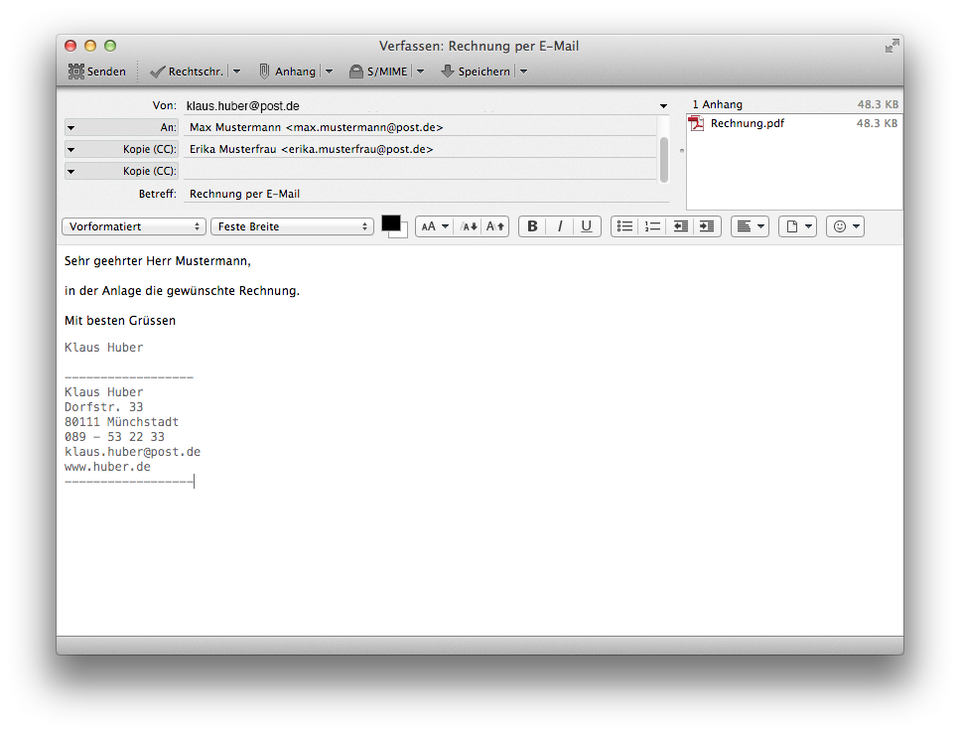
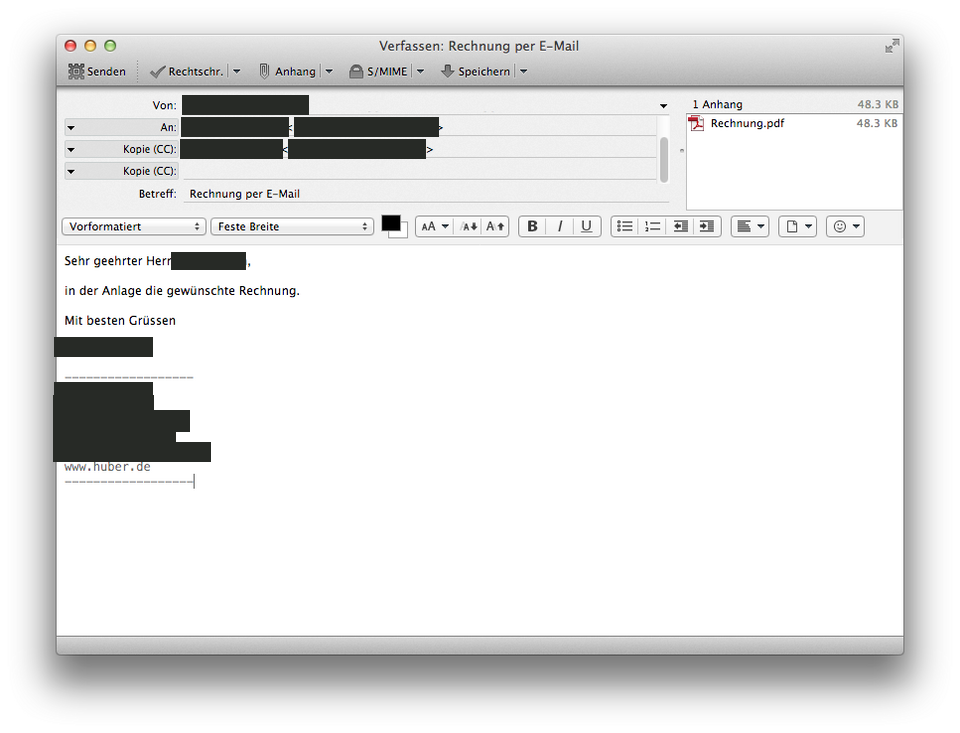
Sharing a Thunderbird email composition window.
Before
Sender and recipient email addresses appear in the header, and the sender address also appears in the message body.
After
Reviewed targets covered: email addresses, names, addresses, phone numbers. Public interface context; see the full-size pair.
Review
This example uses the final suggested masks with Solid black. Review the whole image before sharing.
HubertSt · Original screenshot · CC BY-SA 4.0. Metadata removed; redacted adaptation by Cloakshot. Images retain their listed source license.
02
An email filter rule
Hide sender and recipient addresses in a mail-filter dialog.
iOS development build · Solid black
Before · metadata removedAfter · native App export
Scene
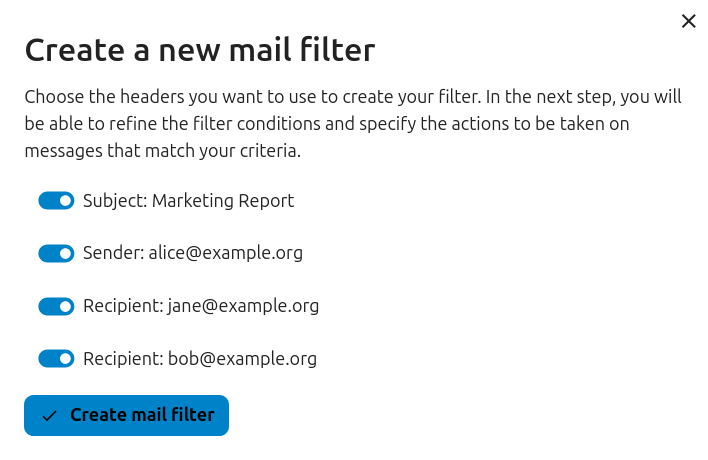
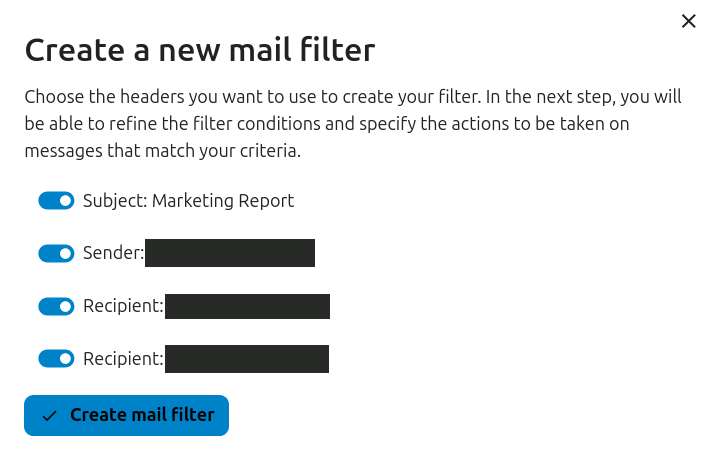
Sharing a Nextcloud dialog while creating an email filter.
Before
The filter dialog lists a sender email and two recipient emails, alongside the subject and filter controls.
After
Reviewed targets covered: email addresses. Public interface context; see the full-size pair.
Review
This example uses the final suggested masks with Solid black. Review the whole image before sharing.
Nextcloud documentation contributors · Original screenshot · CC BY 3.0. Metadata removed; redacted adaptation by Cloakshot. Images retain their listed source license.
03
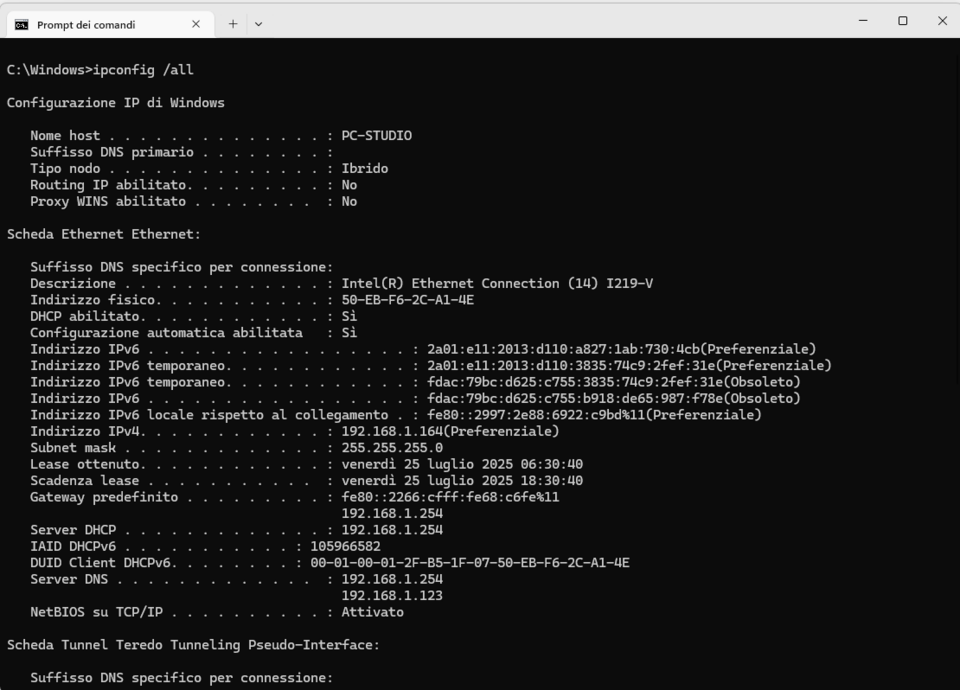
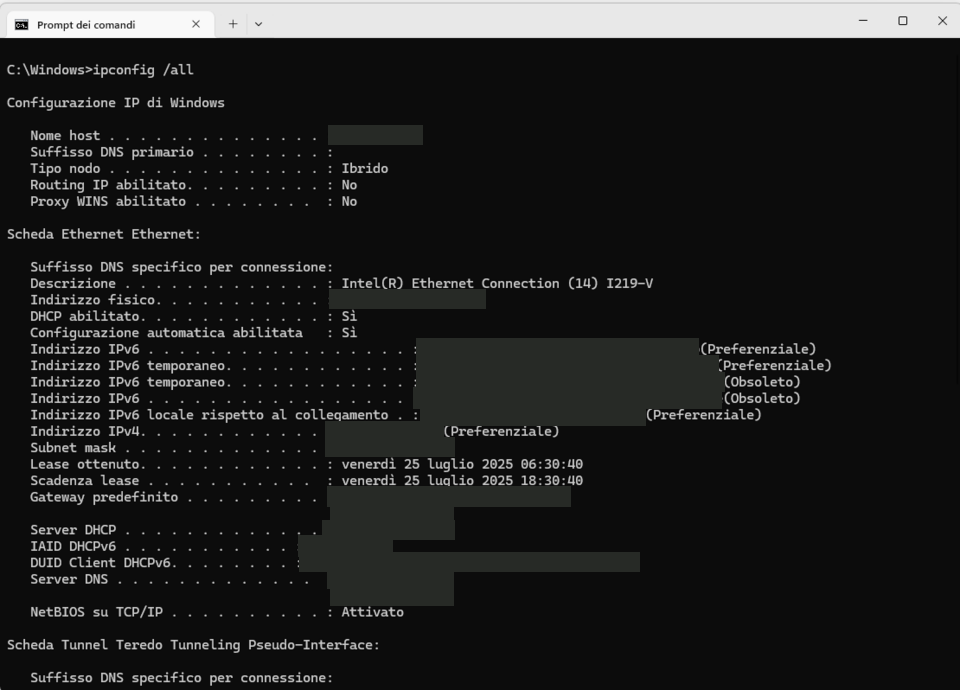
A network support screenshot
Hide detected IP and hardware addresses while keeping diagnostic text visible.
iOS development build · Solid black
Before · metadata removedAfter · native App export
Scene
Sending Windows ipconfig output to a support team.
Before
The command window contains IPv4 and IPv6 addresses, a MAC address and a full DHCP client identifier, along with network configuration labels.
After
Reviewed targets covered: IP addresses, MAC addresses, account identifiers. Public interface context; see the full-size pair.
Review
This example uses the final suggested masks with Solid black. Review the whole image before sharing.
See original image page · Original screenshot · CC0. Metadata removed; redacted adaptation by Cloakshot. Images retain their listed source license.
04
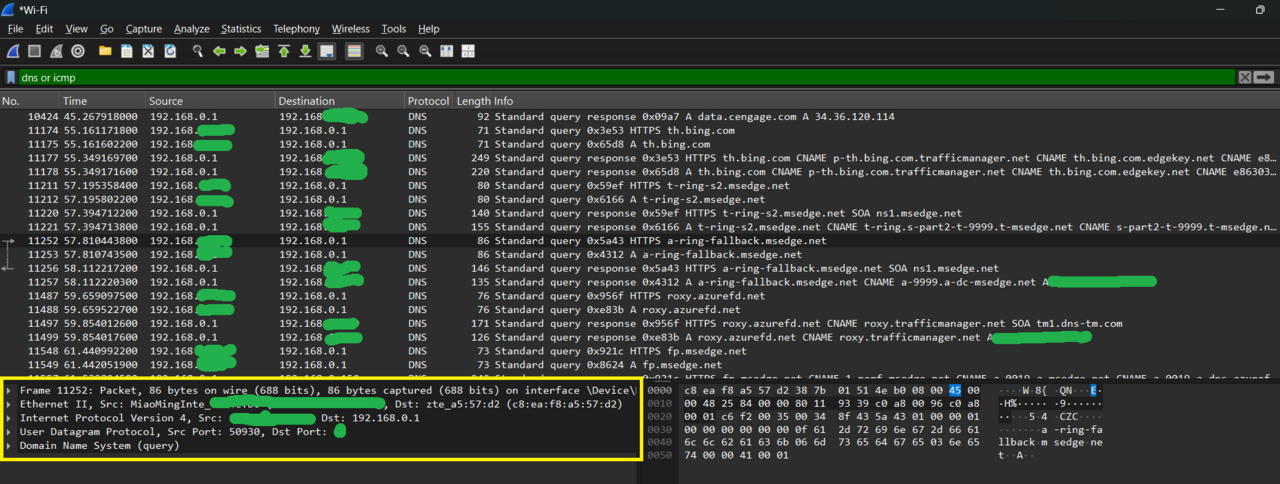
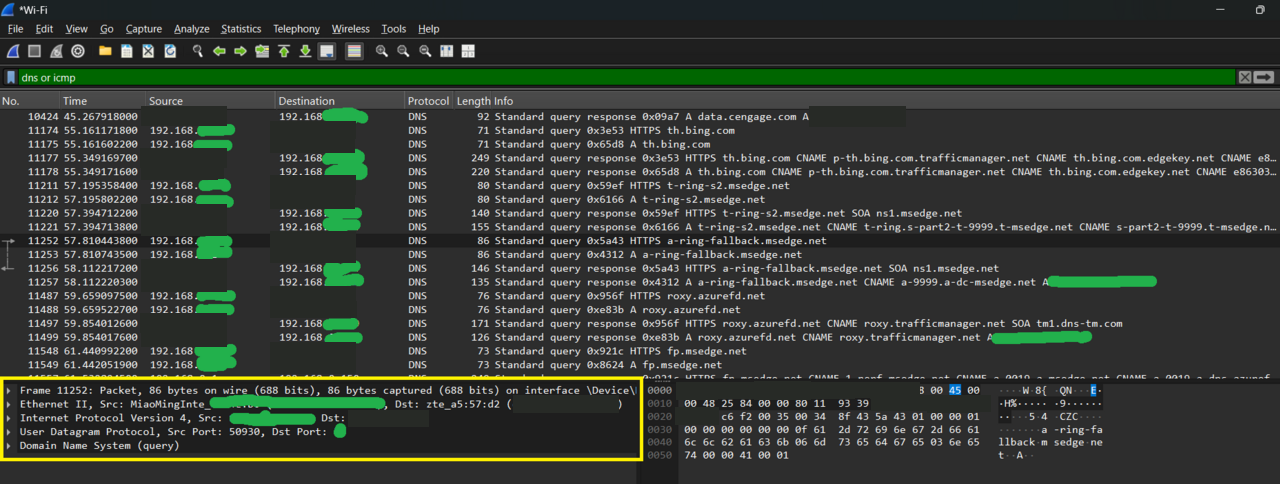
A packet capture
Hide detected IP addresses in captured network traffic.
iOS development build · Solid black
Before · metadata removedAfter · native App export
Scene
Sharing a Wireshark packet capture to discuss a DNS issue.
Before
Source and destination IP addresses appear repeatedly in the packet list and details. A hardware address is also visible in the capture.
After
Reviewed targets covered: IP addresses, MAC addresses. Other identifiers are covered by green marks already present in source.
Review
This example uses the final suggested masks with Solid black. Review the whole image before sharing.
Oluwatobi TJ · Original screenshot · CC0. Metadata removed; redacted adaptation by Cloakshot. Images retain their listed source license.
05
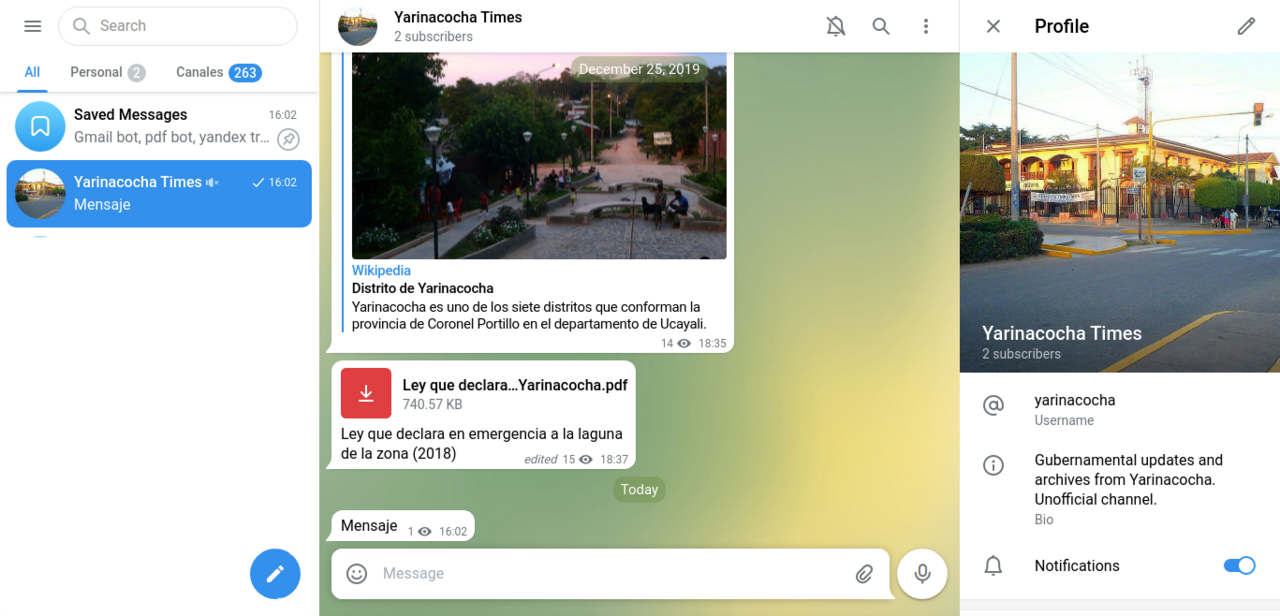
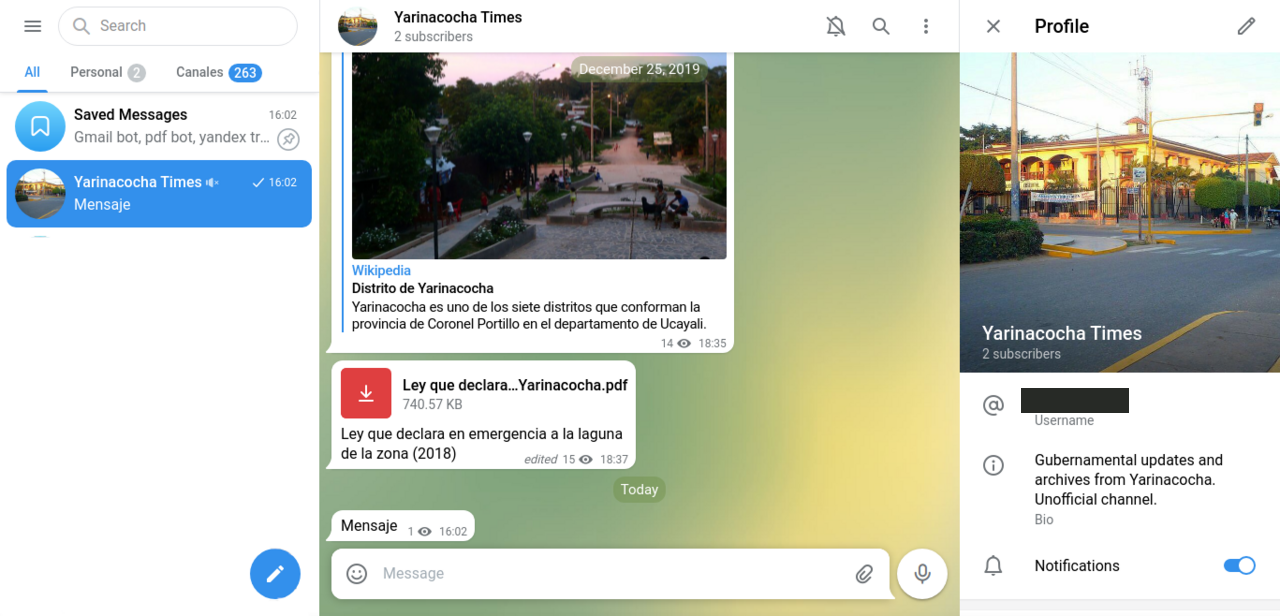
A messaging profile
Hide the detected account username in a profile screenshot.
iOS development build · Solid black
Before · metadata removedAfter · native App export
Scene
Sharing a Telegram Web conversation with its profile panel open.
Before
The profile panel contains an account username beside the conversation, profile picture and display name.
After
Reviewed targets covered: account identifiers. Public interface context; see the full-size pair.
Review
This example uses the final suggested masks with Solid black. Review the whole image before sharing.
DSan · Original screenshot · CC BY-SA 4.0. Metadata removed; redacted adaptation by Cloakshot. Images retain their listed source license.
06
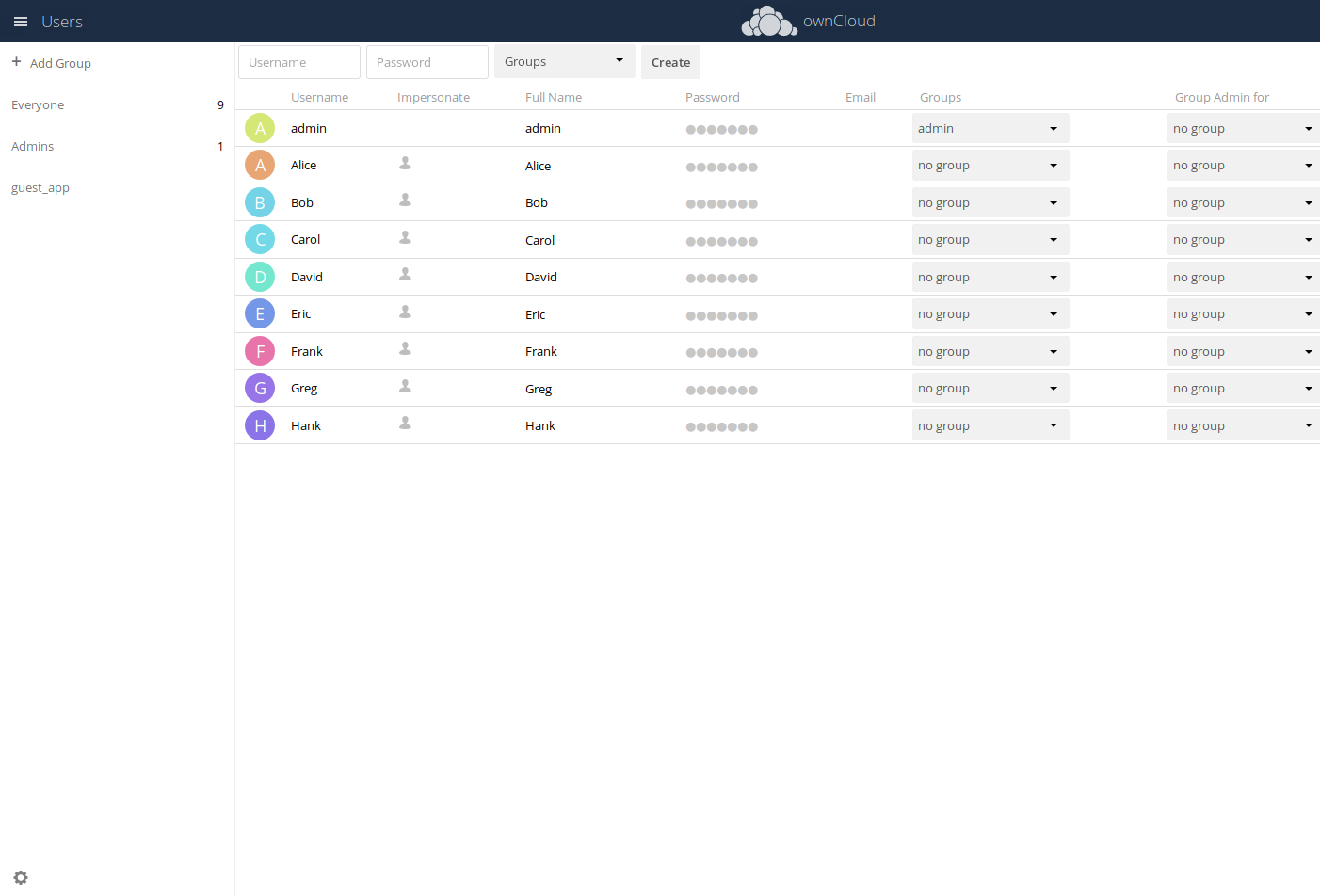
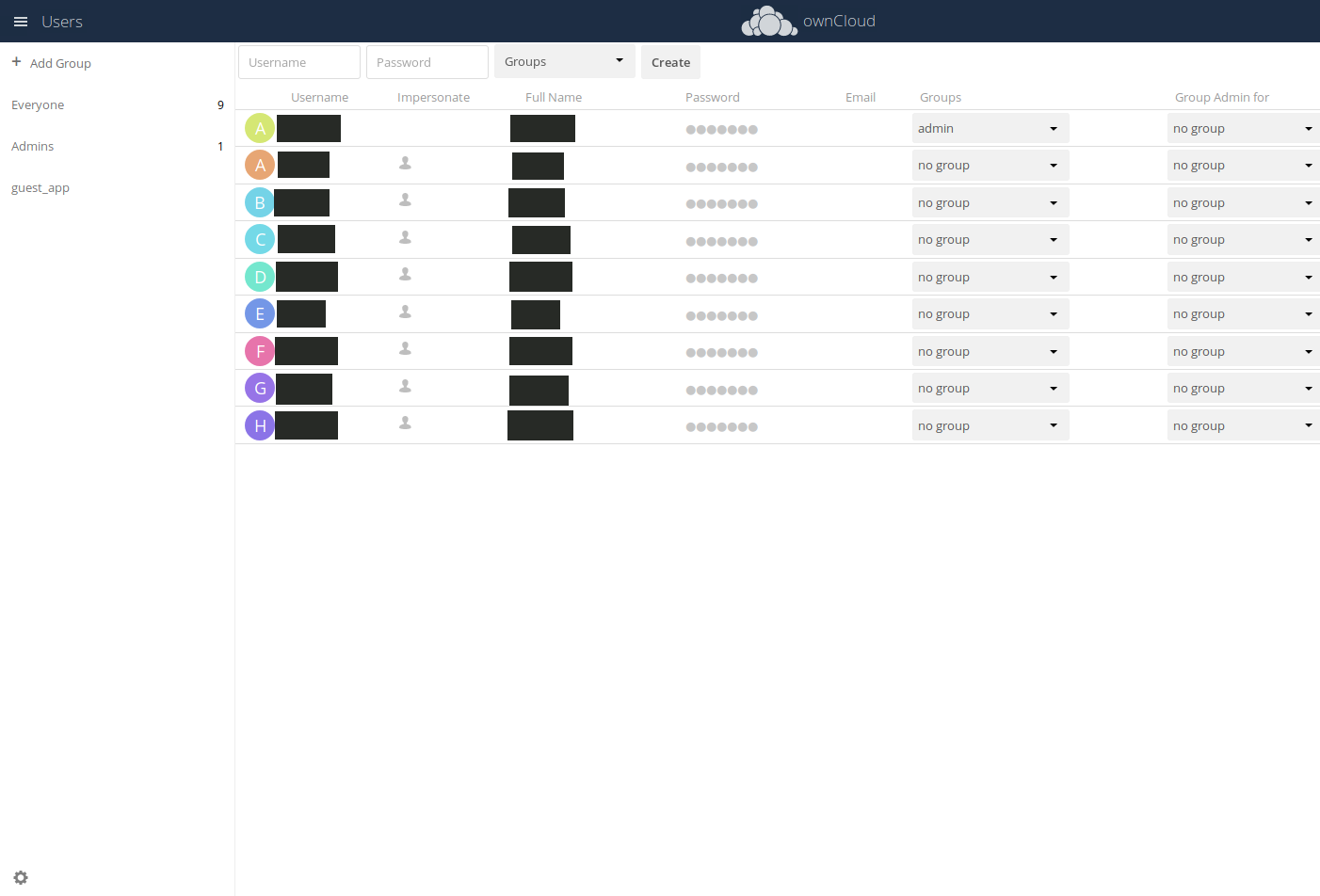
An admin user table
Hide the detected account identifier in an administration screen.
iOS development build · Solid black
Before · metadata removedAfter · native App export
Scene
Sharing an ownCloud administration screen with a table of users.
Before
The table shows account identifiers, display names, group controls and an impersonation action.
After
Reviewed targets covered: account identifiers, names. Password bullets contain no readable password; Groups column admin is a group name; Letter avatars and sidebar Admins
Review
This example uses the final suggested masks with Solid black. Review the whole image before sharing.
ownCloud contributors · Original screenshot · CC BY 4.0. Metadata removed; redacted adaptation by Cloakshot. Images retain their listed source license.
07
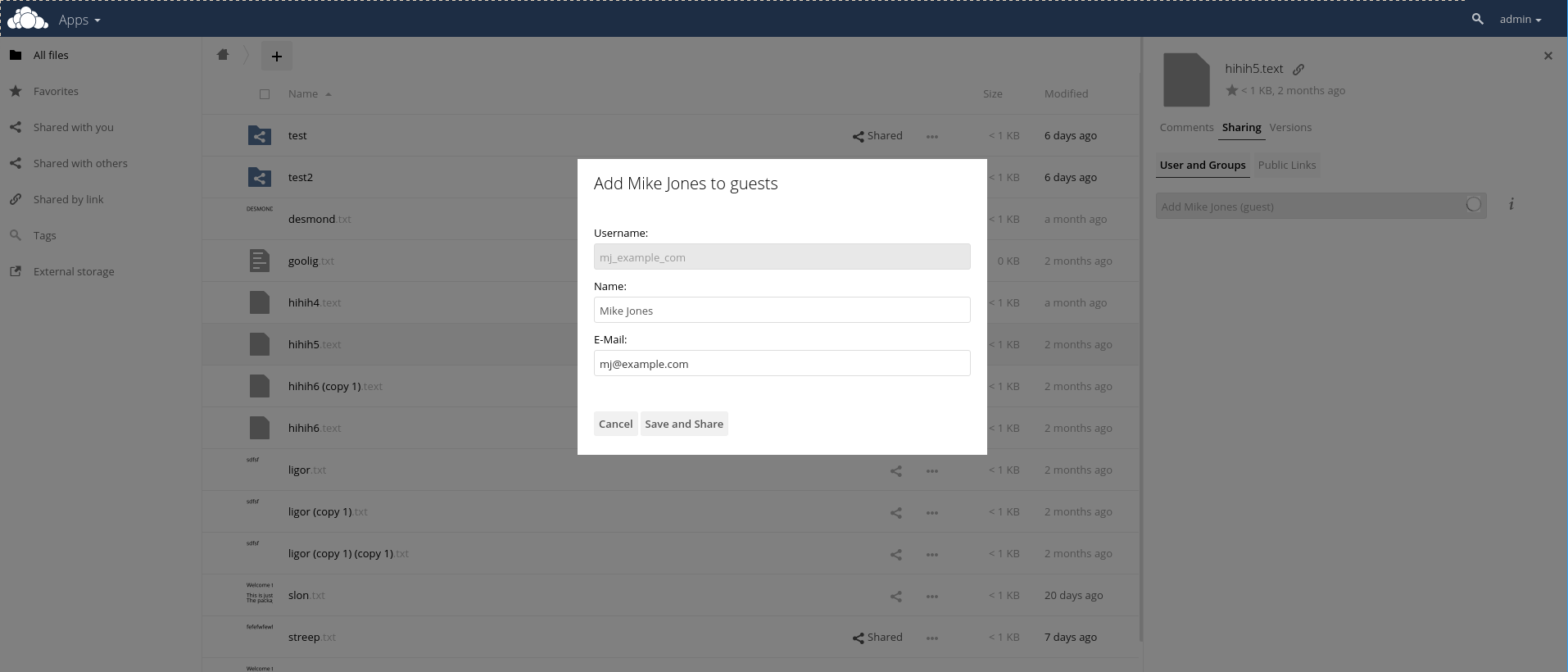
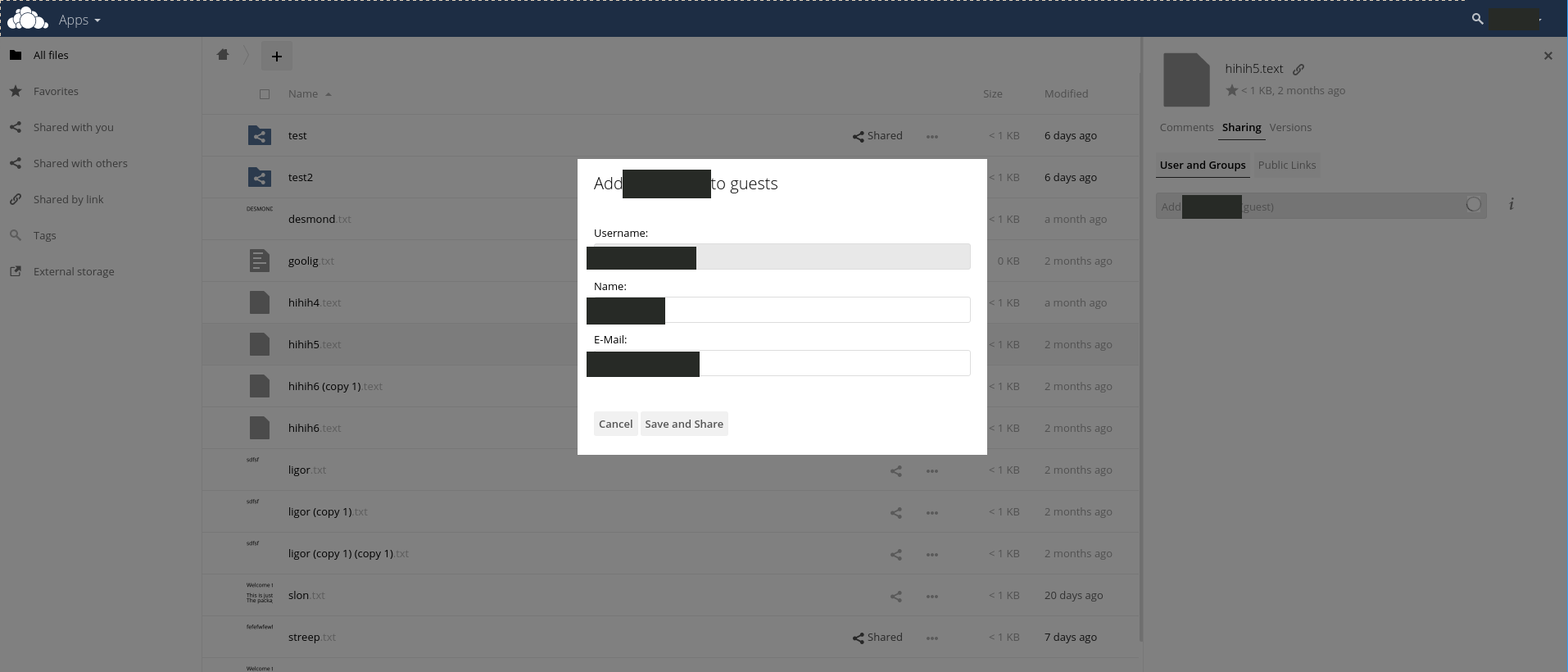
A guest invitation
Hide the detected guest email, account identifier and labeled name.
iOS development build · Solid black
Before · metadata removedAfter · native App export
Scene
Sharing an ownCloud guest-invitation dialog.
Before
The screenshot contains a guest email, an account identifier and a name that appears in the form and elsewhere in the interface.
After
Reviewed targets covered: names, account identifiers, email addresses. Public interface context; see the full-size pair.
Review
This example uses the final suggested masks with Solid black. Review the whole image before sharing.
ownCloud contributors · Original screenshot · CC BY 4.0. Metadata removed; redacted adaptation by Cloakshot. Images retain their listed source license.
08
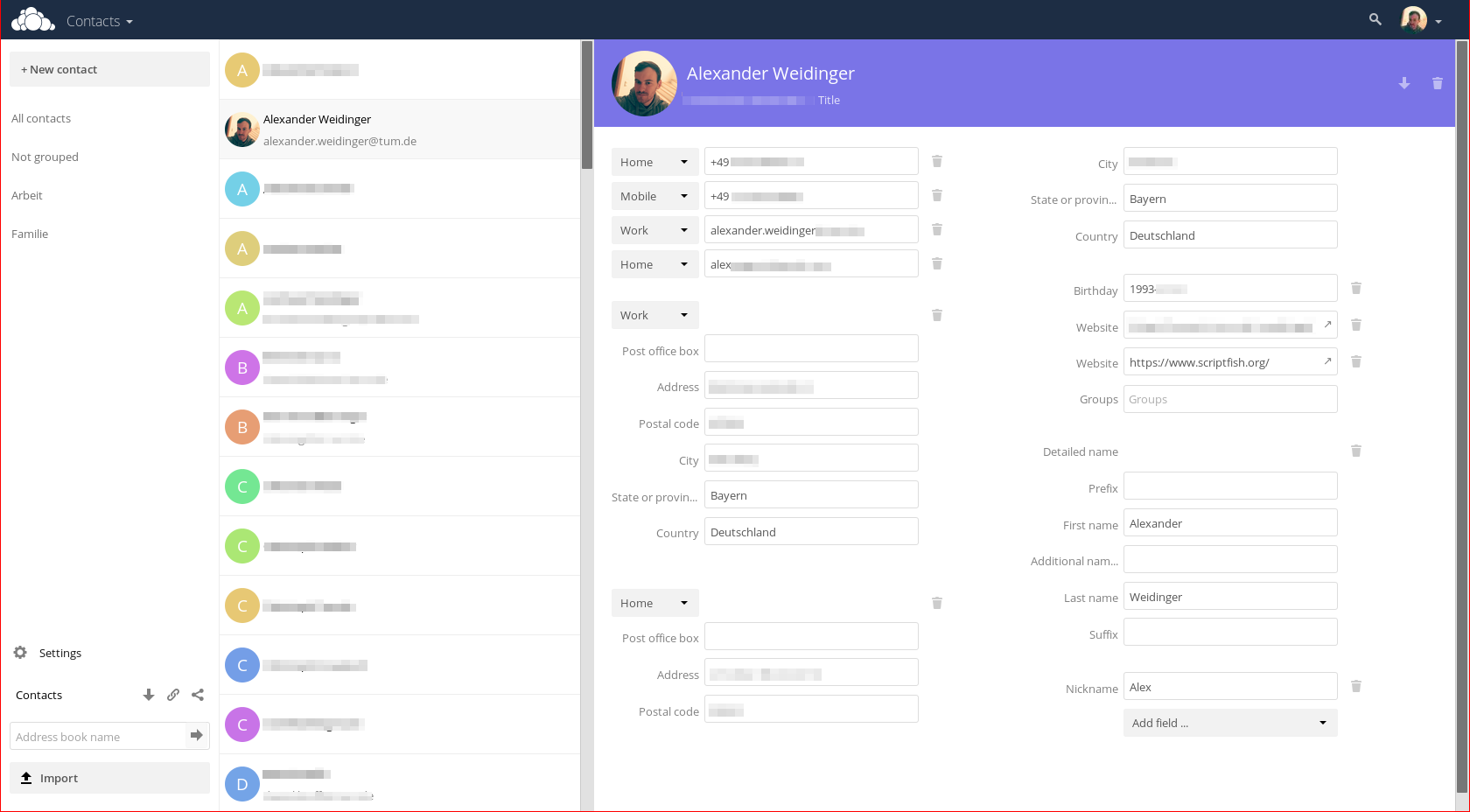
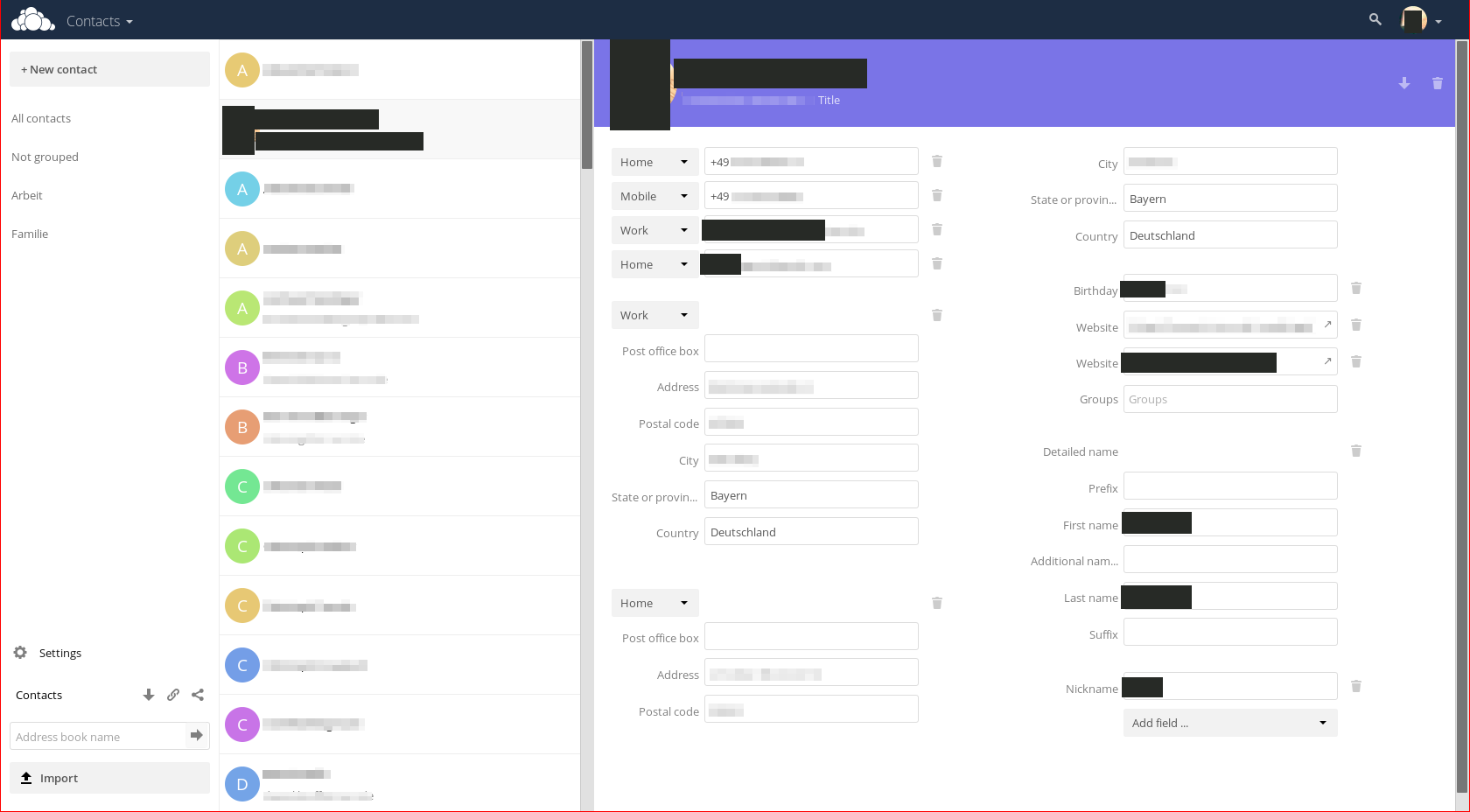
An address book
Hide the detected email and labeled contact-name fields.
Android development build · Solid black
Before · metadata removedAfter · native App export
Scene
Sharing an ownCloud address-book screen with contact details open.
Before
The contact editor displays an email address and labeled first-name and surname fields beside the address-book list.
After
Reviewed targets covered: names, email addresses, personal links, faces, birth dates, account identifiers. Generic German regions/country; Already blurred source fields are not app masks
Review
This example uses the final suggested masks with Solid black. Review the whole image before sharing.
ownCloud contributors · Original screenshot · CC BY 4.0. Metadata removed; redacted adaptation by Cloakshot. Images retain their listed source license.
09
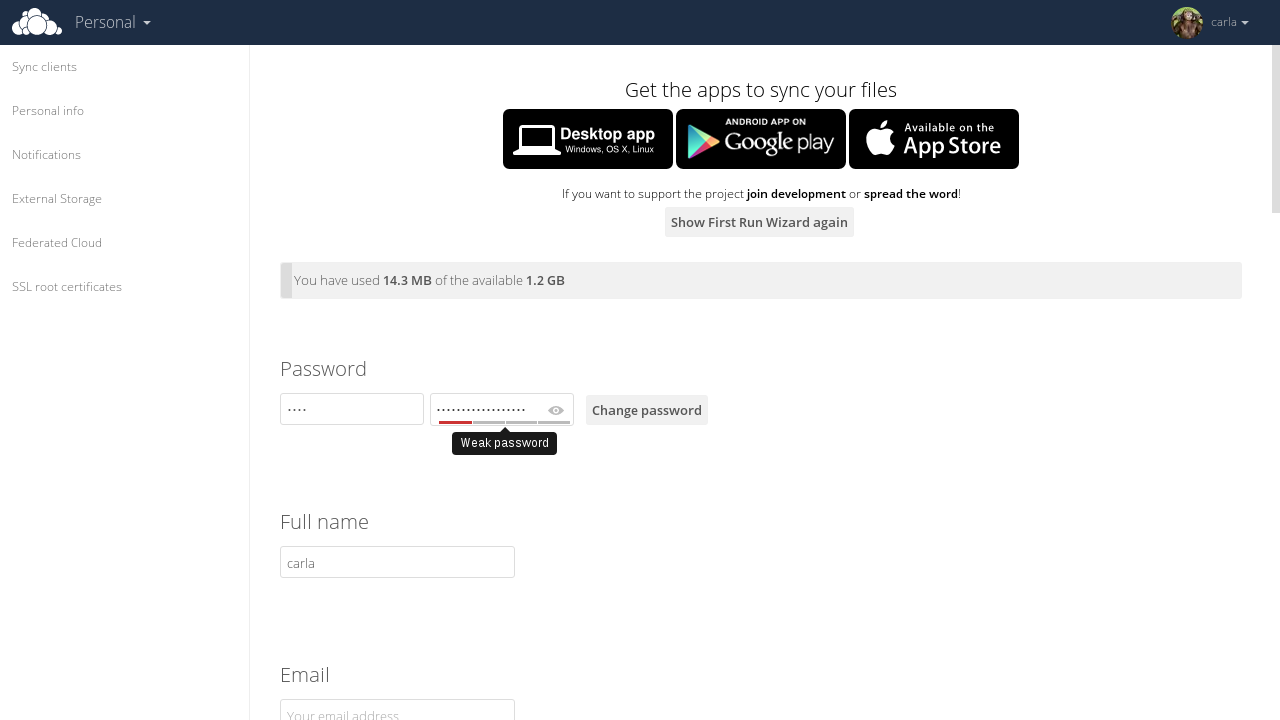
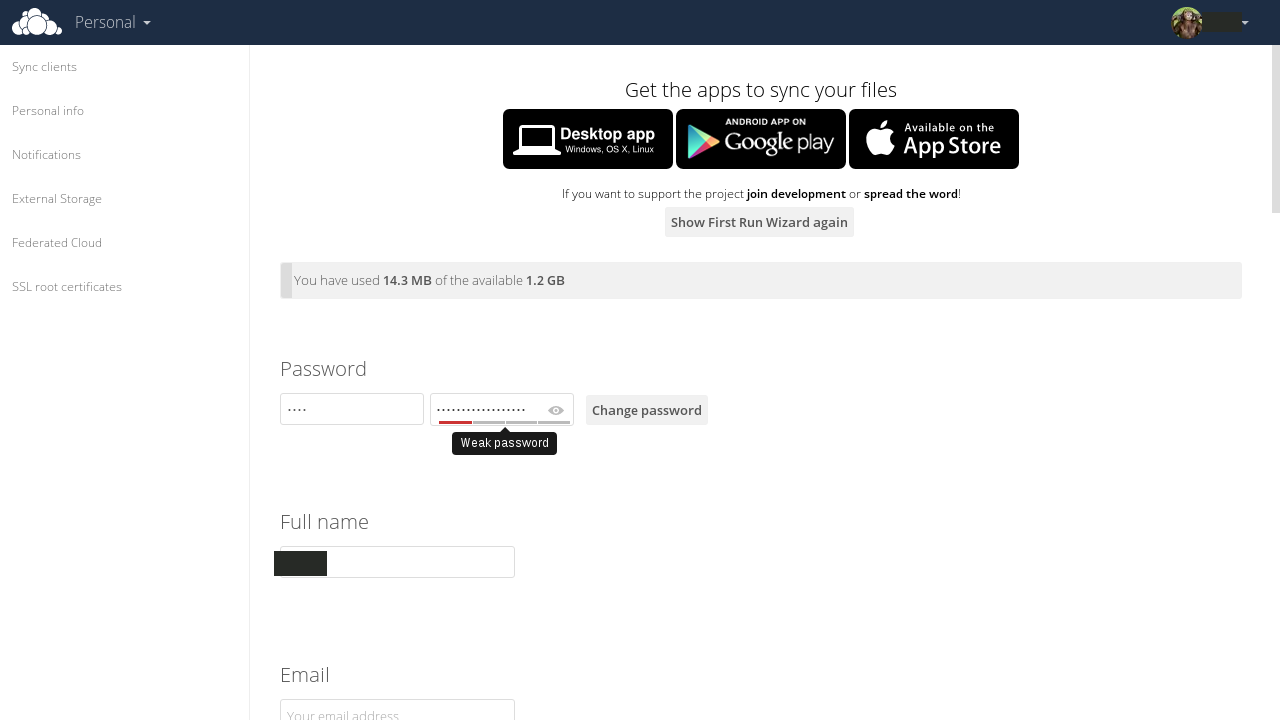
Account password settings
Hide the repeated account-holder name while keeping the settings visible.
iOS development build · Solid black
Before · metadata removedAfter · native App export
Scene
Sharing an ownCloud account-settings page to discuss a password change.
Before
The account-holder name appears in the Full name input and the top navigation. The password inputs already use the website’s own hidden characters.
After
Reviewed targets covered: names. Password bullets and empty email placeholder
Review
This example uses the final suggested masks with Solid black. Review the whole image before sharing.
ownCloud contributors · Original screenshot · CC BY 4.0. Metadata removed; redacted adaptation by Cloakshot. Images retain their listed source license.
10
Two-factor authentication setup
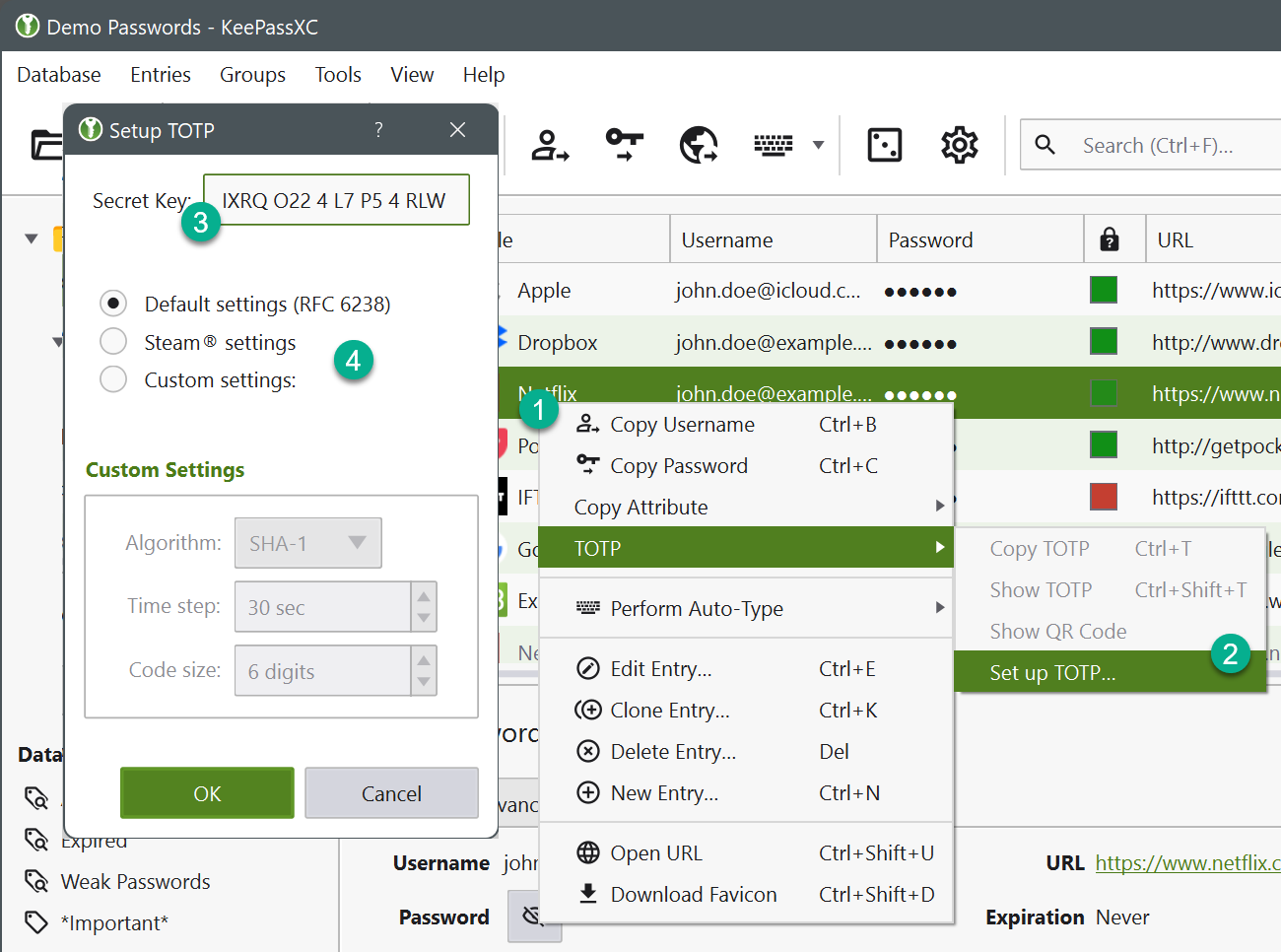
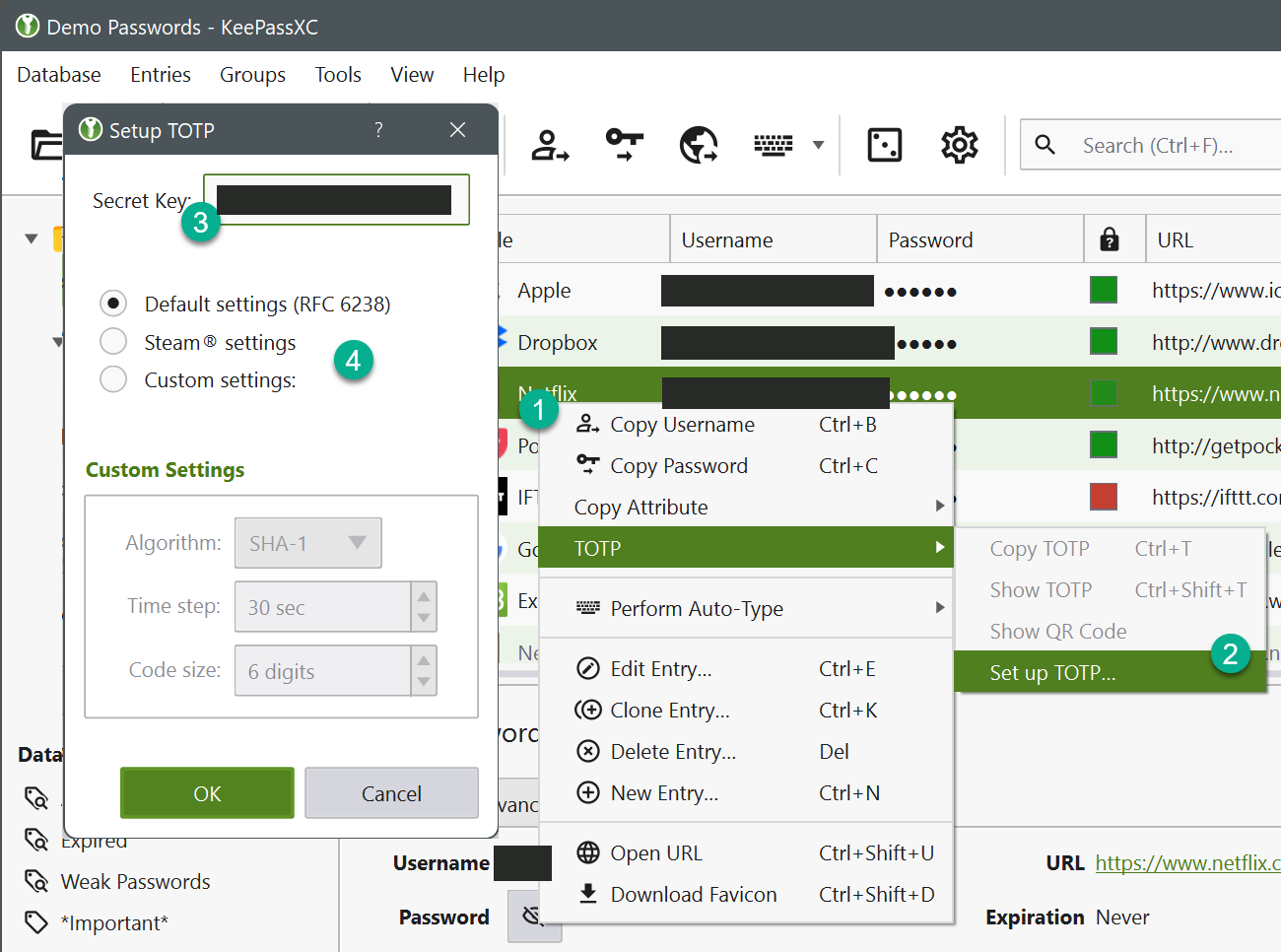
Hide a TOTP secret and the account identifiers behind its setup dialog.
iOS development build · Solid black
Before · metadata removedAfter · native App export
Scene
TOTP setup over password table
Before
A password manager shows a TOTP secret-key field above a table with readable account identifiers. Password bullets do not expose a password.
This example uses the final suggested masks with Solid black. Review the whole image before sharing.
KeePassXC Team and contributors · Original screenshot · GPL 2 or GPL 3. Metadata removed; redacted adaptation by Cloakshot. Images retain their listed source license.
11
A Wi-Fi QR code
Cover a QR code before sharing a camera screenshot.
iOS development build · Solid black
Before · metadata removedAfter · native App export
Scene
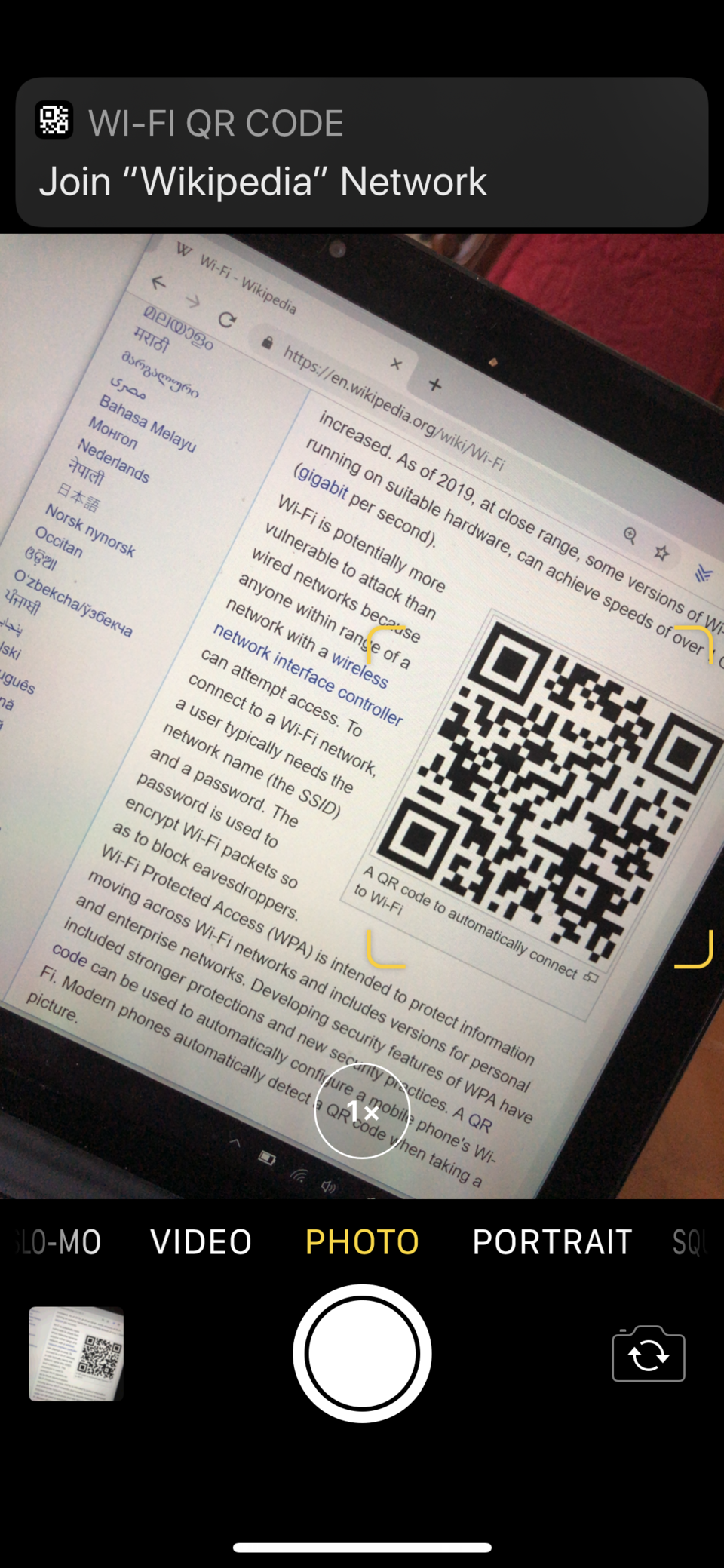
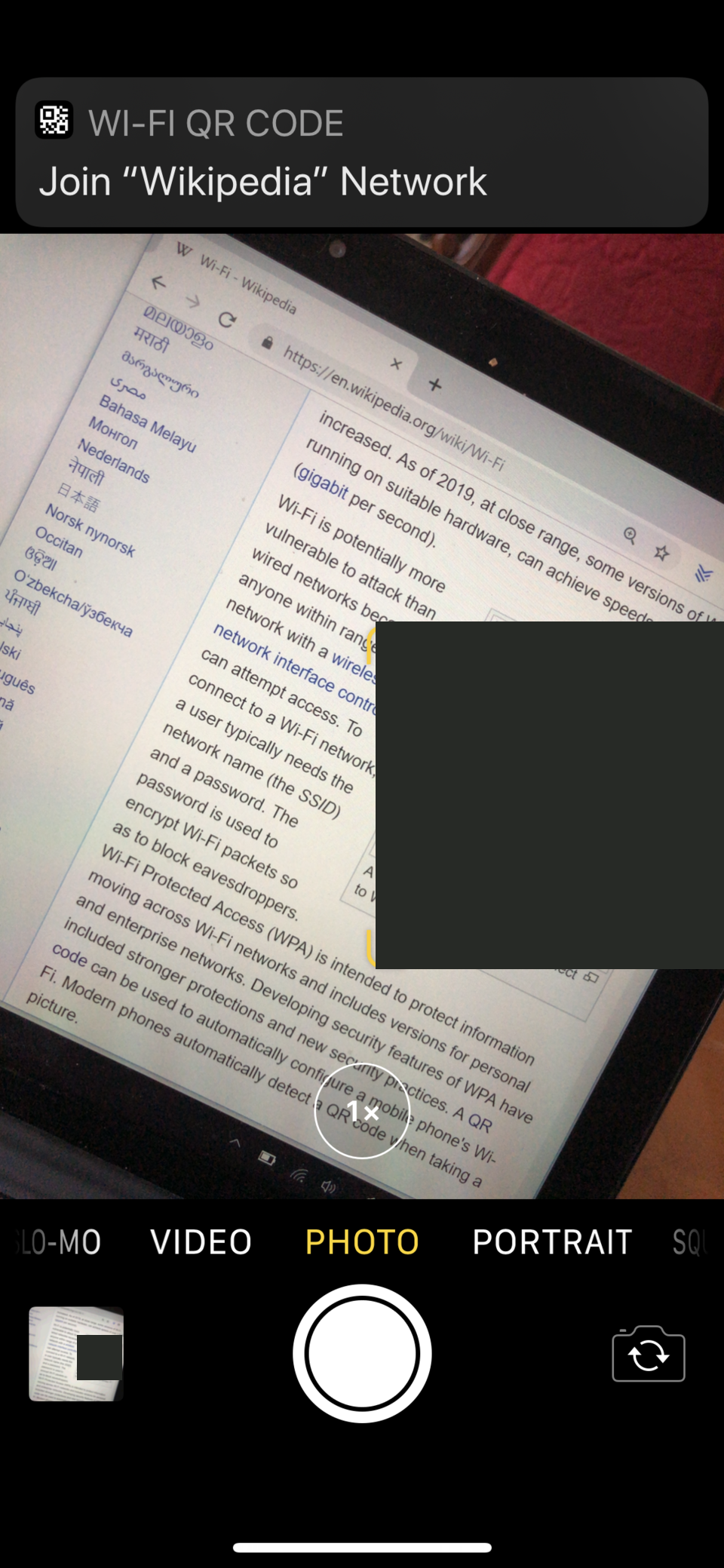
Sharing a phone camera screenshot of a Wi-Fi connection QR code.
Before
A printed QR code is visible in the camera view, with a Wi-Fi join prompt at the top of the screen.
After
Reviewed targets covered: QR codes. Header QR icon is a generic UI icon.
Review
This example uses the final suggested masks with Solid black. Review the whole image before sharing.
FlippyFlink · Original screenshot · Public domain. Metadata removed; redacted adaptation by Cloakshot. Images retain their listed source license.
12
A passkey sign-in prompt
Cover the sign-in QR code while preserving the surrounding instructions.
iOS development build · Solid black
Before · metadata removedAfter · native App export
Scene
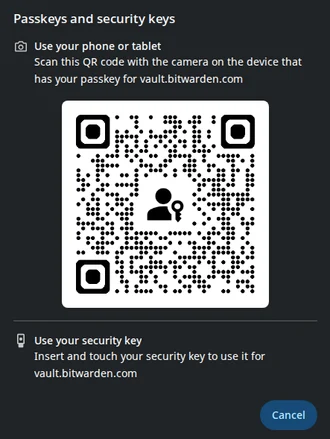
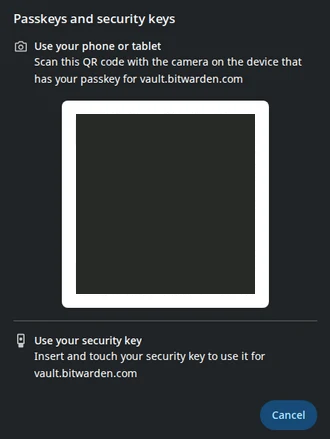
Sharing a Chromium passkey sign-in prompt.
Before
The dialog displays a large QR code for the sign-in flow, together with instructions and a security-key option.
After
Reviewed targets covered: QR codes. vault.bitwarden.com service domain is public.
Review
This example uses the final suggested masks with Solid black. Review the whole image before sharing.
Software: The Chromium Projects Screenshot: VulcanSphere · Original screenshot · BSD. Metadata removed; redacted adaptation by Cloakshot. Images retain their listed source license.
13
A file-sharing invitation
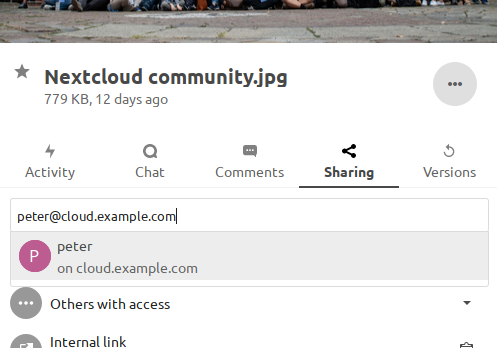
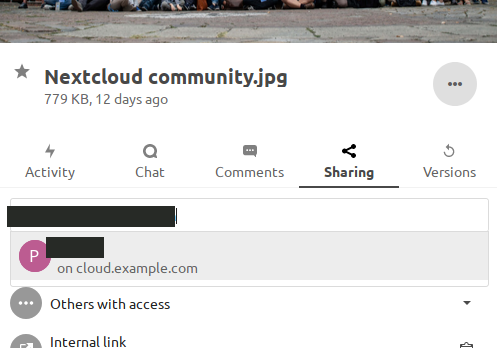
Hide the detected email while preserving the file-sharing panel.
iOS development build · Solid black
Before · metadata removedAfter · native App export
Scene
Sharing a Nextcloud file-sharing panel while inviting another user.
Before
The invitation input contains an email address above the existing sharing entries for the file.
After
Reviewed targets covered: email addresses, account identifiers. Public interface context; see the full-size pair.
Review
This example uses the final suggested masks with Solid black. Review the whole image before sharing.
Nextcloud documentation contributors · Original screenshot · CC BY 3.0. Metadata removed; redacted adaptation by Cloakshot. Images retain their listed source license.
14
A shared photo preview
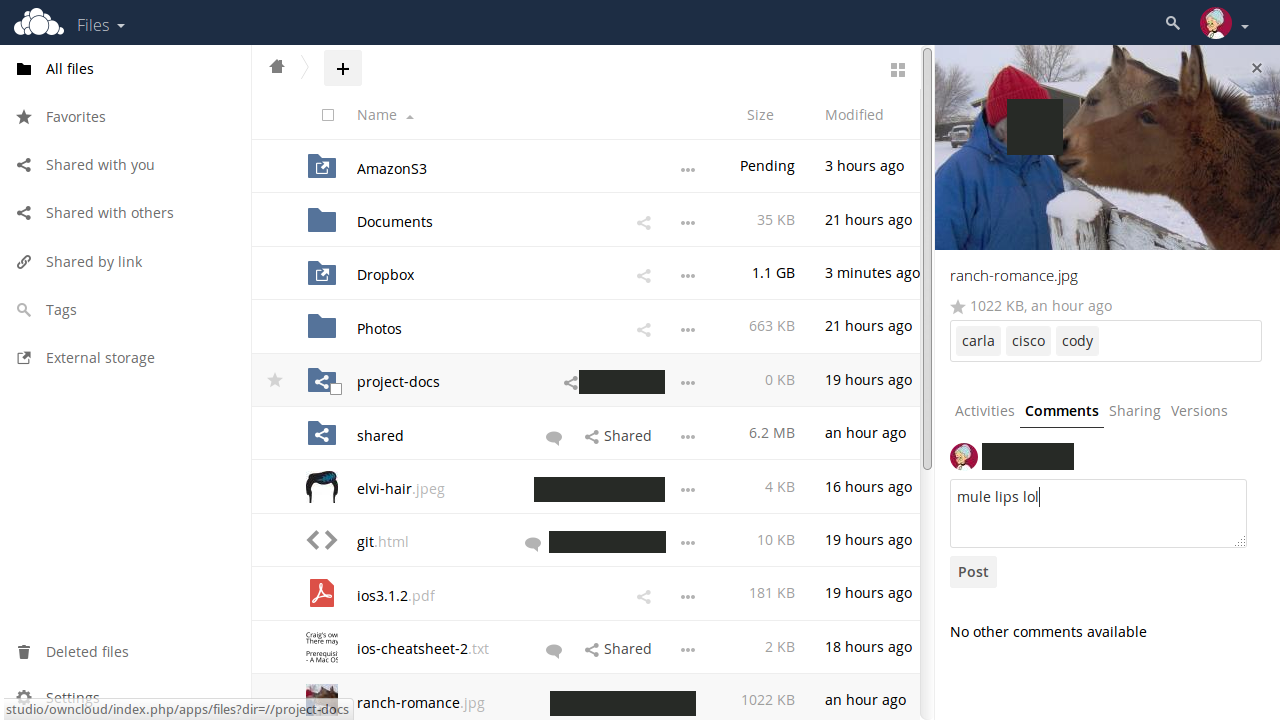
Hide the detected face in a shared-photo screenshot.
iOS development build · Solid black
Before · metadata removedAfter · native App export
Scene
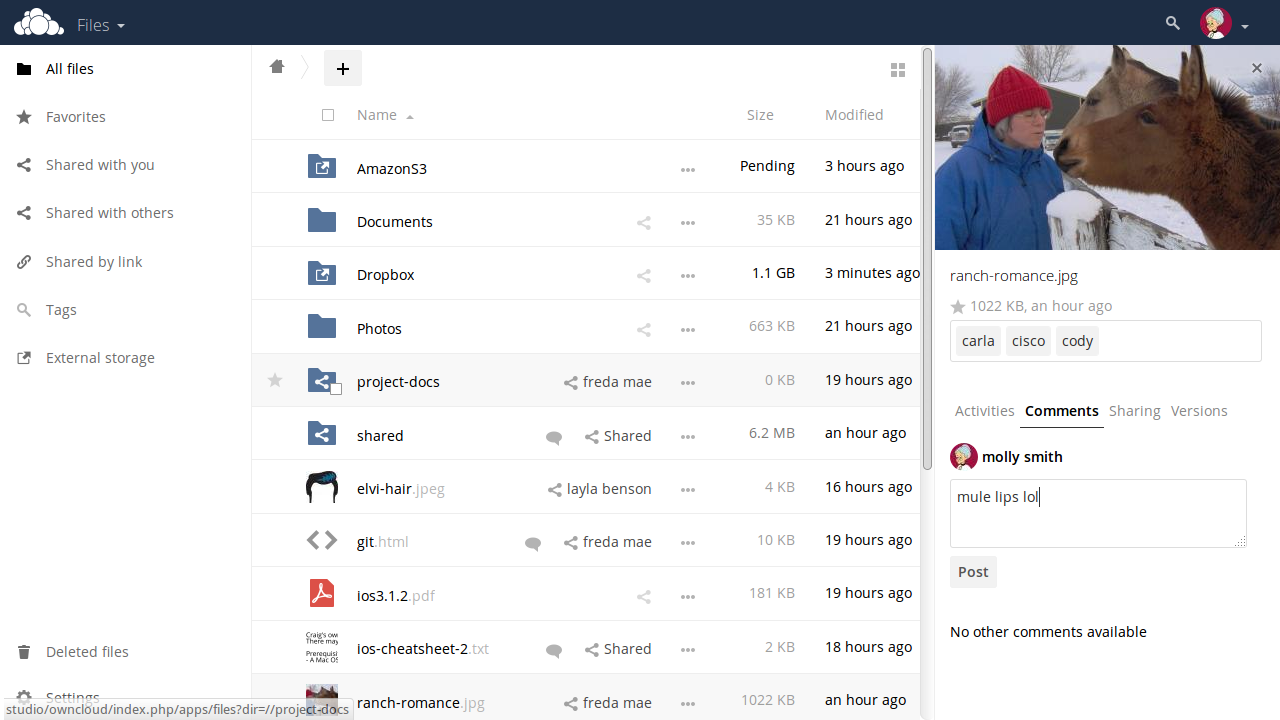
Sharing an ownCloud file screen with a photo preview open.
Before
The photo preview shows a person's face alongside the file list and comment panel.
After
Reviewed targets covered: faces, names. Mule photo and drawn avatars
Review
This example uses the final suggested masks with Solid black. Review the whole image before sharing.
ownCloud contributors · Original screenshot · CC BY 4.0. Metadata removed; redacted adaptation by Cloakshot. Images retain their listed source license.
15
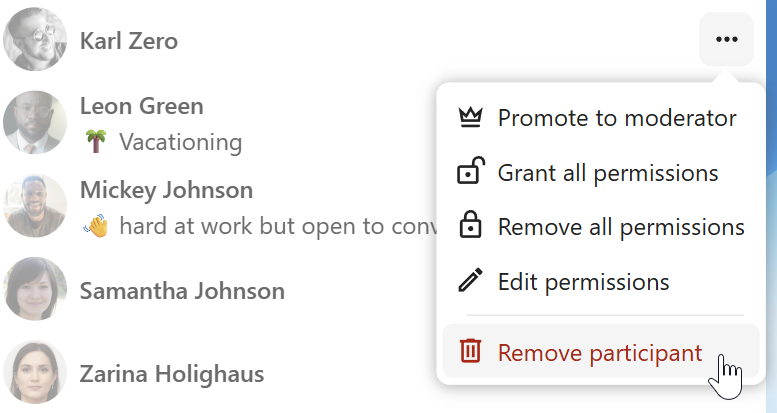
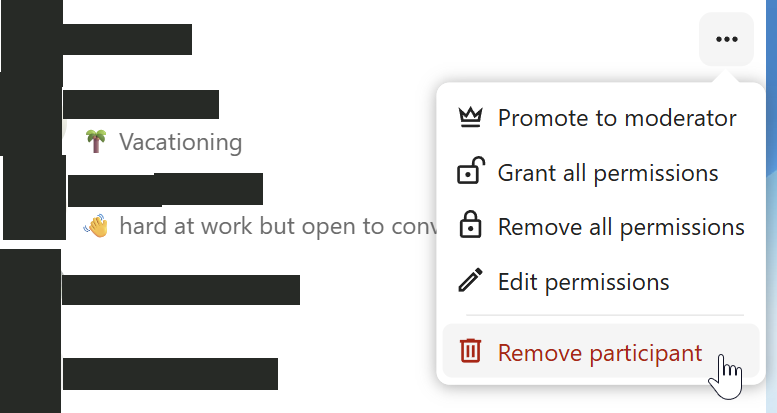
A chat participant list
Hide participant names and the five profile faces while keeping the moderation menu readable.
Android development build · Solid black
Before · metadata removedAfter · native App export
Scene
Sharing a Nextcloud Talk participant list while discussing moderation controls.
Before
Five participants have photographic profile faces beside their names and status text. A participant-actions menu is open.
After
Reviewed targets covered: names, faces. Public interface context; see the full-size pair.
Review
This example uses the final suggested masks with Solid black. Review the whole image before sharing.
Nextcloud documentation contributors · Original screenshot · CC BY 3.0. Metadata removed; redacted adaptation by Cloakshot. Images retain their listed source license.
16
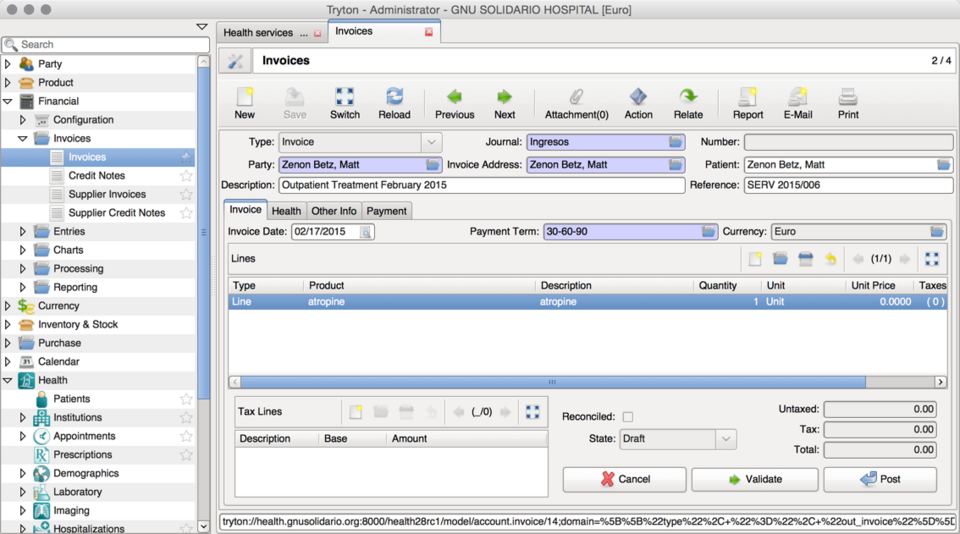
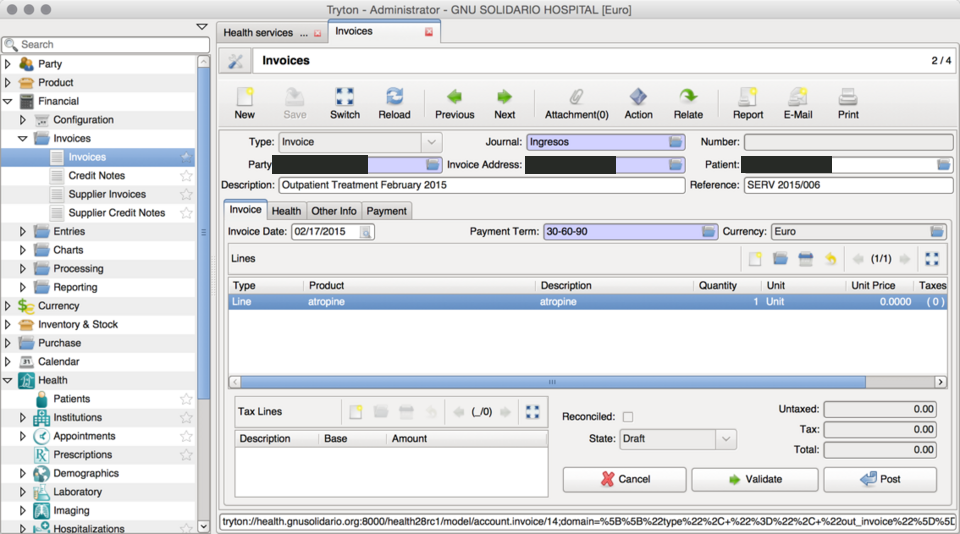
A patient invoice
Cover the patient name wherever it appears while keeping the invoice readable.
iOS development build · Solid black
Before · metadata removedAfter · native App export
Scene
Preparing a public GNU Health demonstration invoice for sharing.
Before
The invoice contains the patient's name in three locations, alongside invoice fields, line items and amounts.
After
Reviewed targets covered: names. Public interface context; see the full-size pair.
Review
This example uses the final suggested masks with Solid black. Review the whole image before sharing.
Martin Sauter · Original screenshot · CC BY-SA 4.0. Metadata removed; redacted adaptation by Cloakshot. Images retain their listed source license.